
How to Calibrate a Subject Score
As a base understanding, We have the
- Calibration Group is created
- Manager score is the baseline Score
- Scope of the Calibration is defined
Viewing and Editing Calibration Group Scores
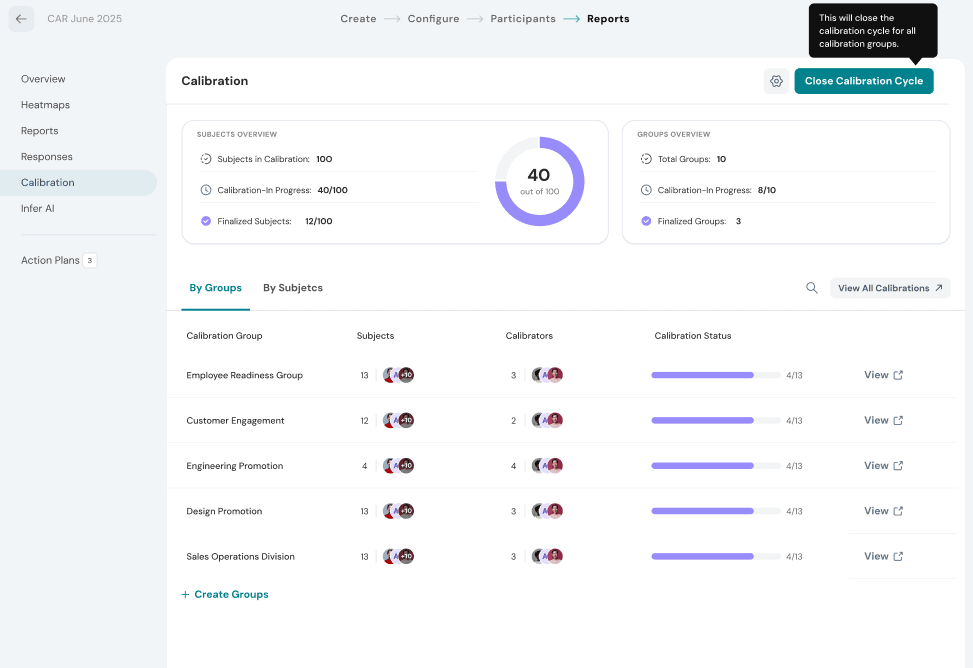
As a Calibrator panel member, navigate to Employee View -> Performance -> Select A Review -> Calibration
The Calibration section displays all the calibration groups within the review. Select View for a group to open its details, where you can review and edit calibration scores as needed.
Start Calibrating for Subjects
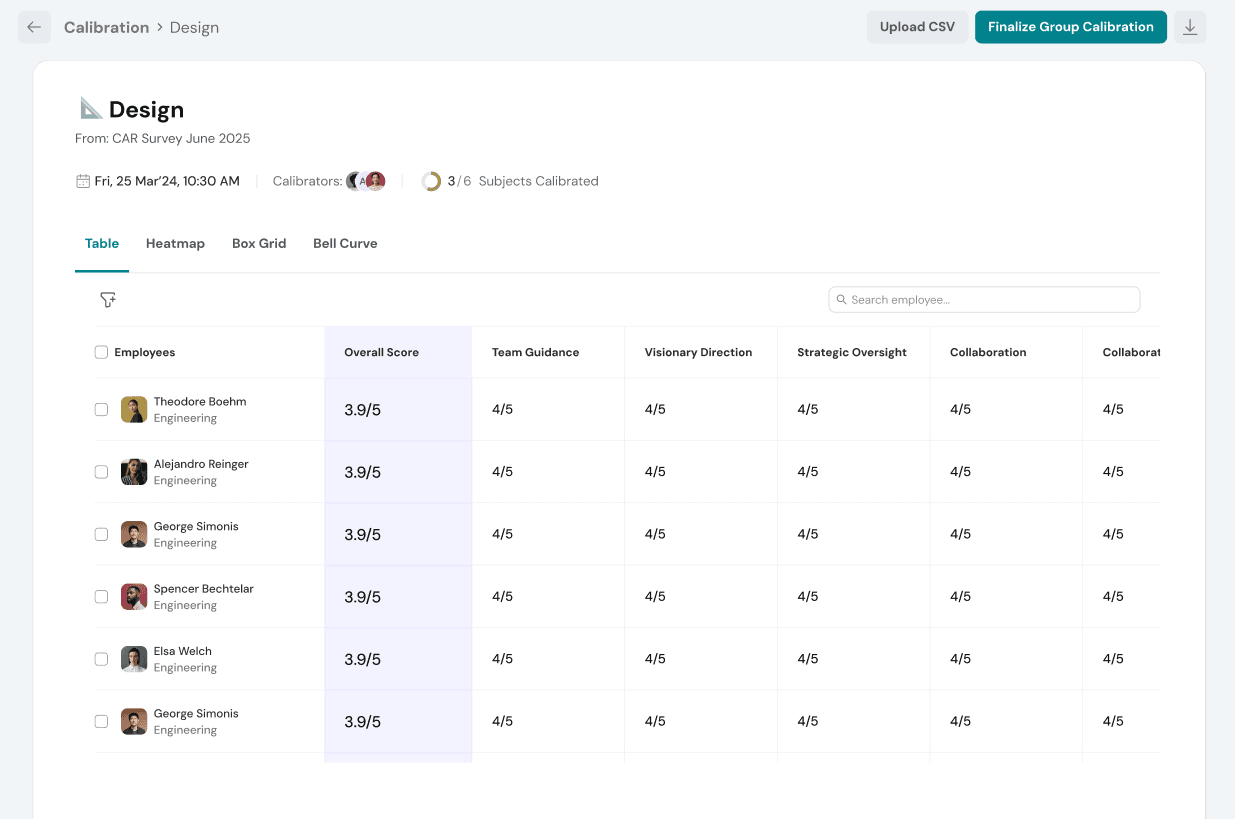
Change Score for Individual Subject
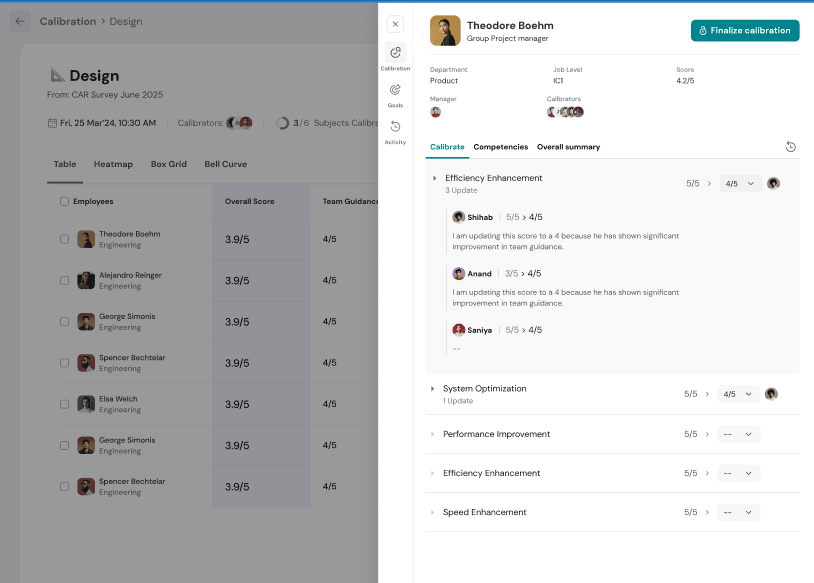
Once saved, the updated scores are retained, and the changes are visible to all authorized calibrators, ensuring transparency throughout the calibration process.
Note : You can also edit inline in the table view for easier updates.
Finalizing Calibration
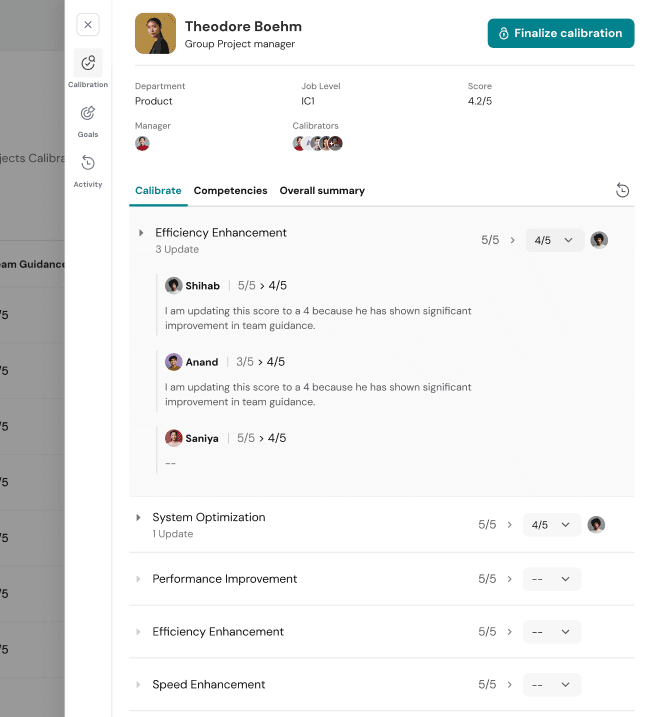
Finalize Calibration is the final step in the calibration process. Once calibrators have reviewed, discussed, and updated employee rating and now they have to finalize the calibration.
Click Finalize Calibration at the top of the page to lock in the latest calibrated scores. Once finalized, the most recently updated ratings become the final calibration score for the Subject.
Reopening Calibrated Score
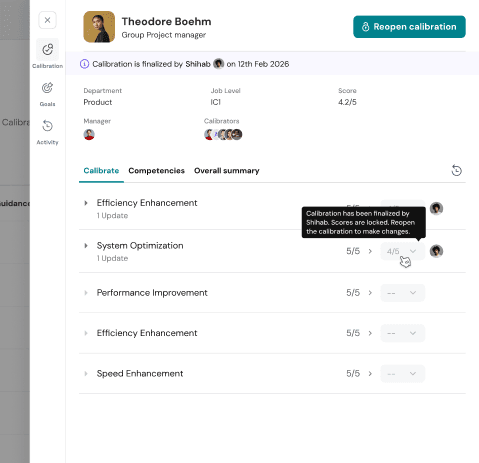
If the rating needs to be changed later, an eligible calibrator can Reopen Calibration from the top-right corner. Reopening unlocks the calibration, allowing further discussions and score updates. After the required changes are made, the calibration must be finalized again for the updated ratings to take effect.
Finalizing Group Calibration
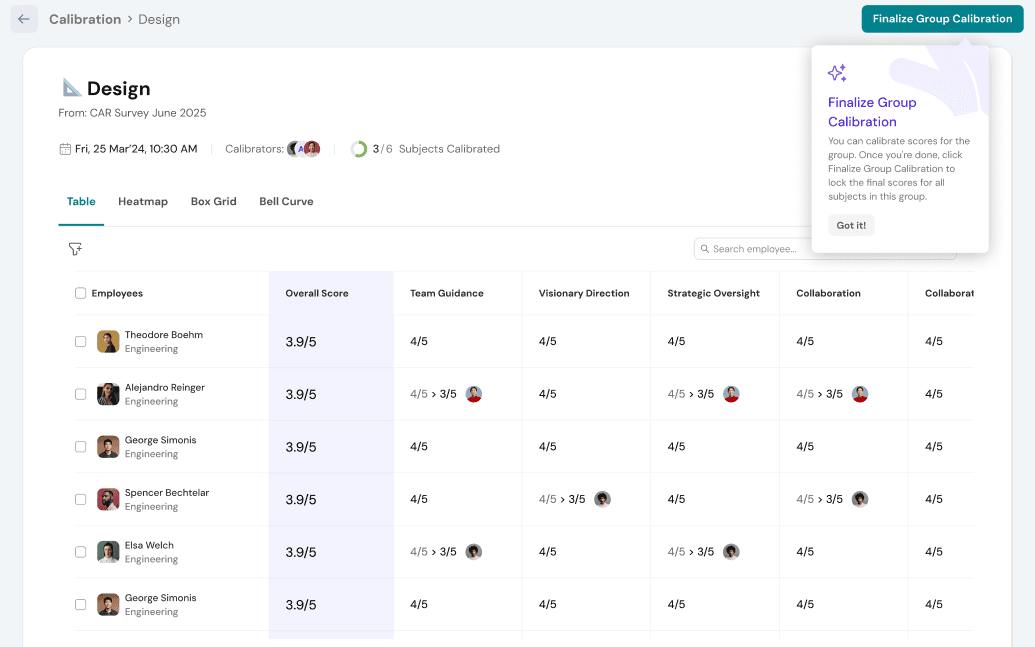
Once the calibration panel has completed discussions and finalized the ratings for all employees, click Finalize Group Calibration to complete the process.
This action locks the calibrated scores for all subjects in the group, preventing further changes unless the group is reopened.
You can also select multiple participants and perform Calibrate or Finalize actions in bulk, making it easier to manage large calibration groups efficiently.
Important Note: We ensure that at any point, Subjects will not know that their ratings are calibrated. At no point in the product can a Subject see whether or not their score has been calibrated.
For any questions or queries, feel free to reach out to our Support team.!
Happy Thriving!!